
Install ThanksTo
ThanksTo opens inside your Shopify admin, with no separate login and no code to add. It needs the Online Store sales channel. If you sell where cookie rules apply, check your cookie banner in Shopify under Settings › Customer privacy.
Install the app
Section titled “Install the app”-
Install ThanksTo: Sales Attribution on your store, then open it.
-
Choose a plan when Shopify’s plan page opens. If you leave without choosing, you’re on the Free plan until you choose one.
-
Wait while ThanksTo says Confirming your plan…. Home then opens.
Every plan includes every feature. Plans differ in how many paid orders they cover each month.
Tracking connects when you open the app. ThanksTo imports your last 60 days of orders, which takes a few minutes.
Work through the setup checklist
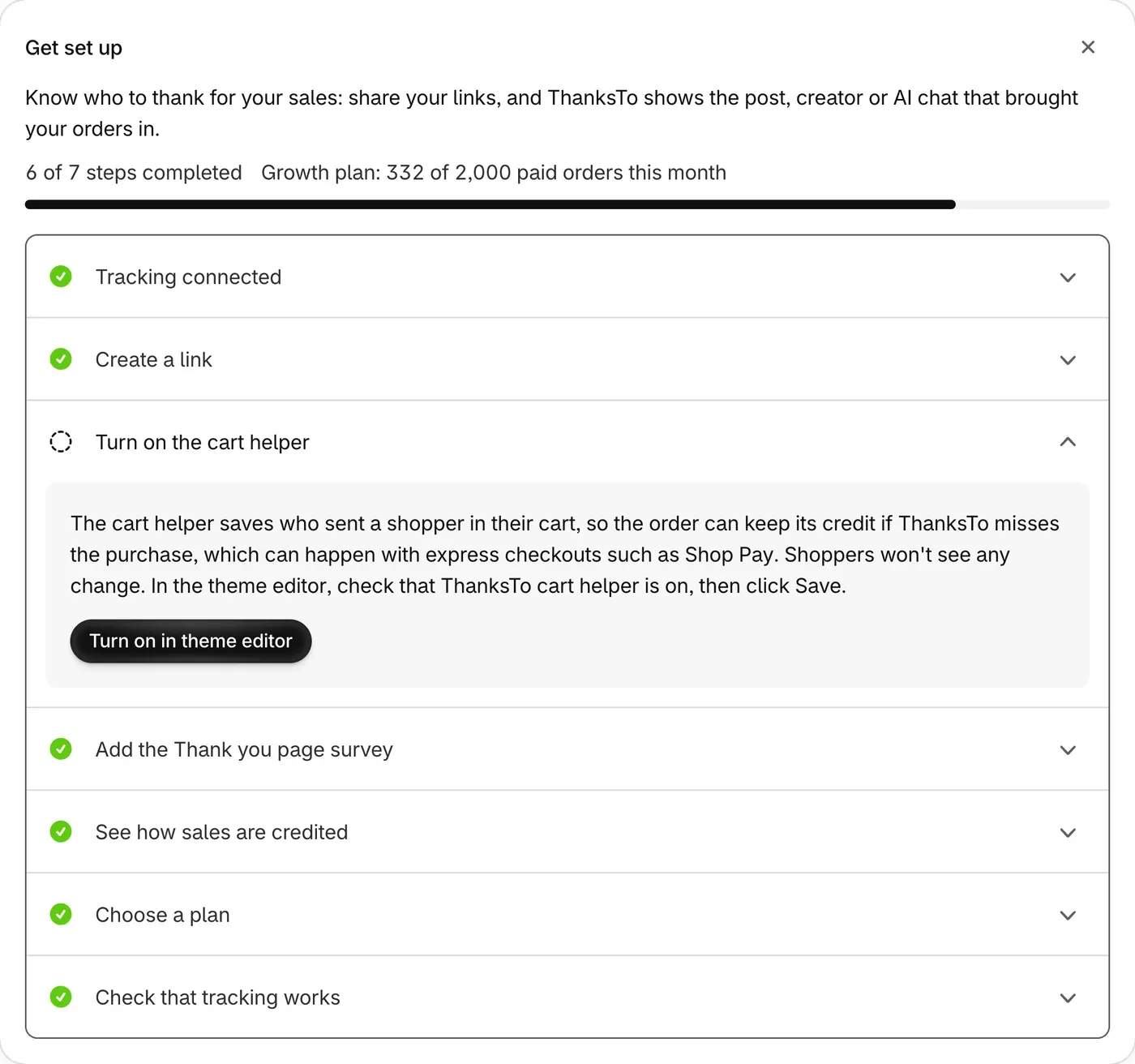
Section titled “Work through the setup checklist”Home opens with a card called Get set up. Click the arrow on a step to open it.
-
Connect tracking. Once connected, this reads Tracking connected. If not, click Check again.
-
Create a link. Follow Create your first link.
-
Turn on the cart helper. Click Turn on in theme editor, check that ThanksTo cart helper is on, then click Save.
-
Add the Thank you page survey. Click Add the survey block, then Add block in the Main section. Choose ThanksTo survey and save.
-
See how sales are credited. Read the list, then click Got it.
-
Choose a plan. If you chose one after installing, this is already done.
-
Check that tracking works. Follow Test it with one order.
If something looks wrong
Section titled “If something looks wrong”- A step starts with “Opened”. Shopify can’t tell ThanksTo if it was saved. Click Open theme editor or Open checkout editor and check that it’s on.
For anything else, see Fix a problem.