
Post-purchase survey
The survey asks shoppers “How did you hear about us?” after they order. It helps with sales that links can’t show, like word of mouth and podcasts, and it doesn’t ask for the shopper’s own name or email. If you edit it, don’t ask for personal details.
Add the survey block
Section titled “Add the survey block”The survey is on when you install ThanksTo, but shoppers see it after you add the block.
-
Open Settings, go to Post-purchase survey and click Add to Thank you page.
-
In Shopify’s checkout editor, click Add block in the Main section.
-
Choose ThanksTo survey, then click Save.
-
Do the same on the Order status page if you like.
To check, read the badge on the Post-purchase survey card. An order that already has an answer shows no survey, and neither does an order more than 7 days old.
Edit the question and answers
Section titled “Edit the question and answers”-
Open Settings and go to the Post-purchase survey card.
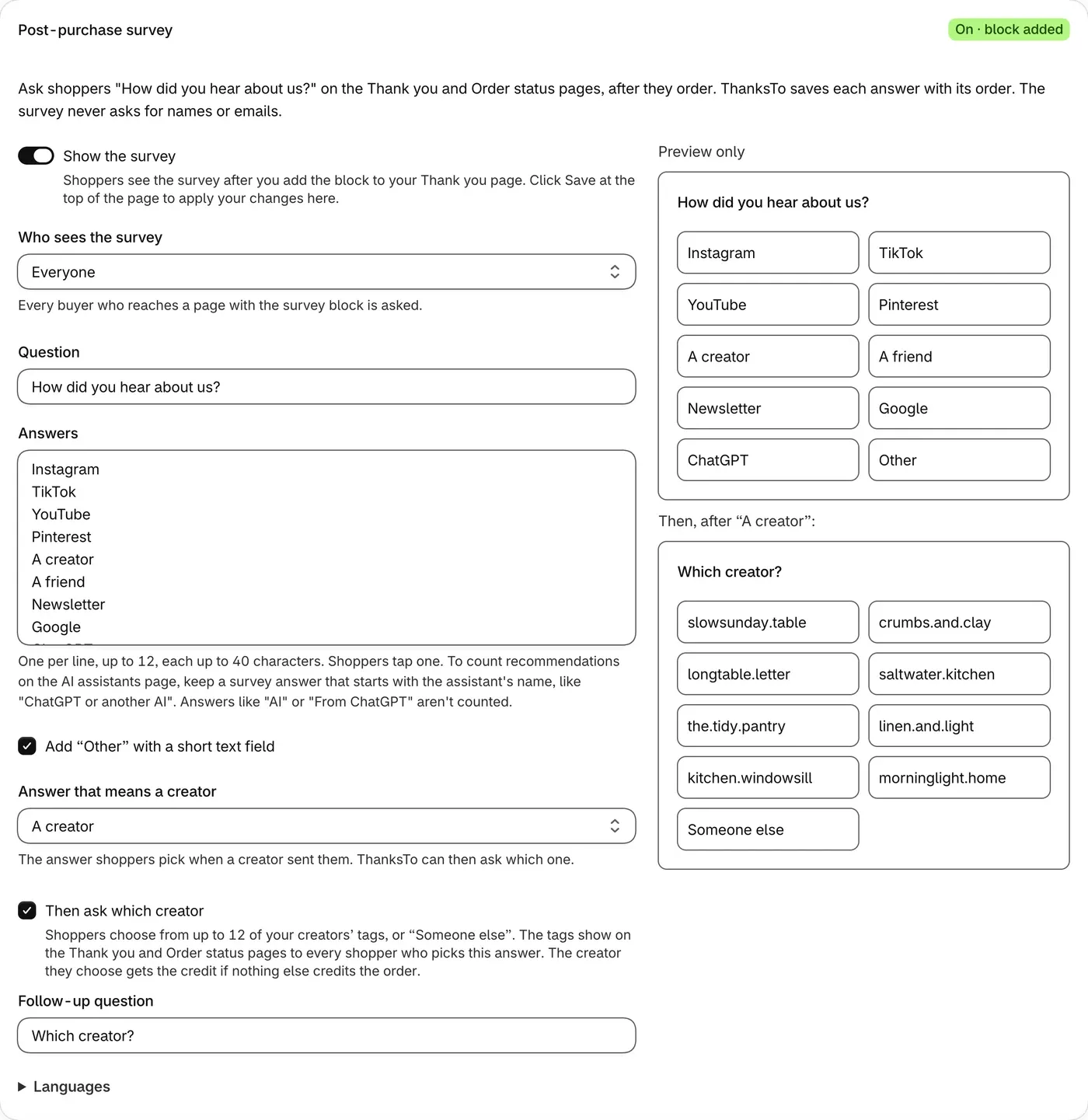
-
Choose Who sees the survey. With New customers only, some returning customers may still be asked.
-
Edit Question and Answers. Put one answer on each line.
-
Click Save at the top of the page.
- If you rename an answer, older answers stay under the old name.
- To show the survey in other languages, open Languages in the card.
Ask which creator
Section titled “Ask which creator”After the answer that means a creator, shoppers can choose from up to 12 of your creators’ tags, or Someone else.
-
In Answer that means a creator, pick the answer shoppers choose when a creator sent them.
-
Tick Then ask which creator, then click Save at the top of the page.
If you have no saved creators yet, shoppers won’t be asked this until you add one. See Create links.
Read the answers
Section titled “Read the answers”-
Open Analytics and choose your dates.
-
Go to the Post-purchase survey card and pick Answers.
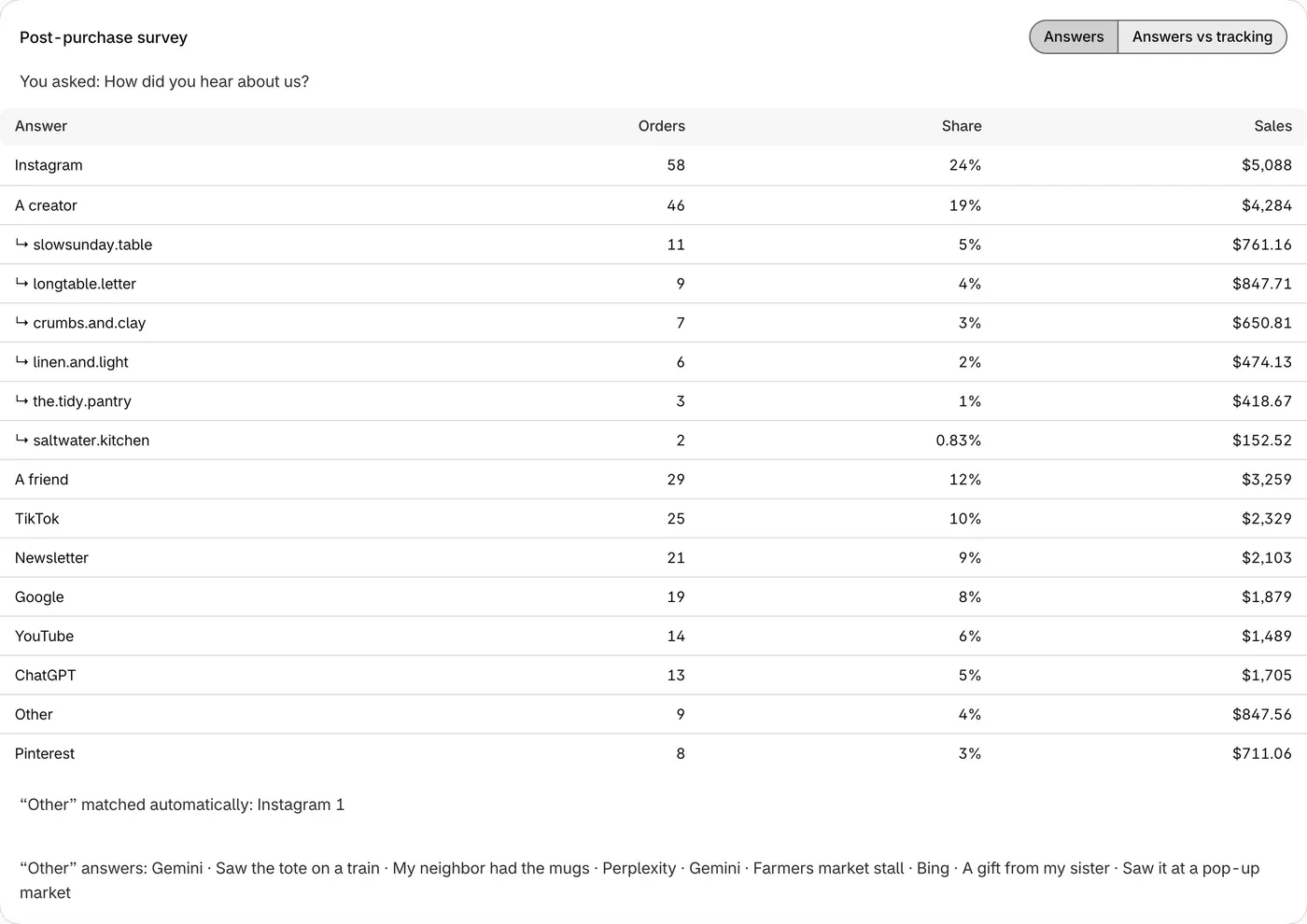
- Orders and Sales count paid online orders, so some answers aren’t included.
- Answers vs tracking shows what shoppers said next to what ThanksTo tracked, once an order in your dates has both. A low match is a reason to look closer, not an error.
- An answer gives credit when nothing else credits the order and it names a known source or one of your creators. If ThanksTo saw a Direct visit, the answer gives no credit. Answers such as A friend or Podcast give none either.
More help: Fix a problem.