
Track paid ads
Add tracking tags to your Meta, Google and TikTok ads, so their orders show by campaign and by ad. A tag is a small label on the end of an ad’s link.
Get the tags
Section titled “Get the tags”-
Open Analytics.
-
Under Where sales came from, open Track your paid ads: get the tags to paste.
-
Use the Platform menu to choose your ad platform.
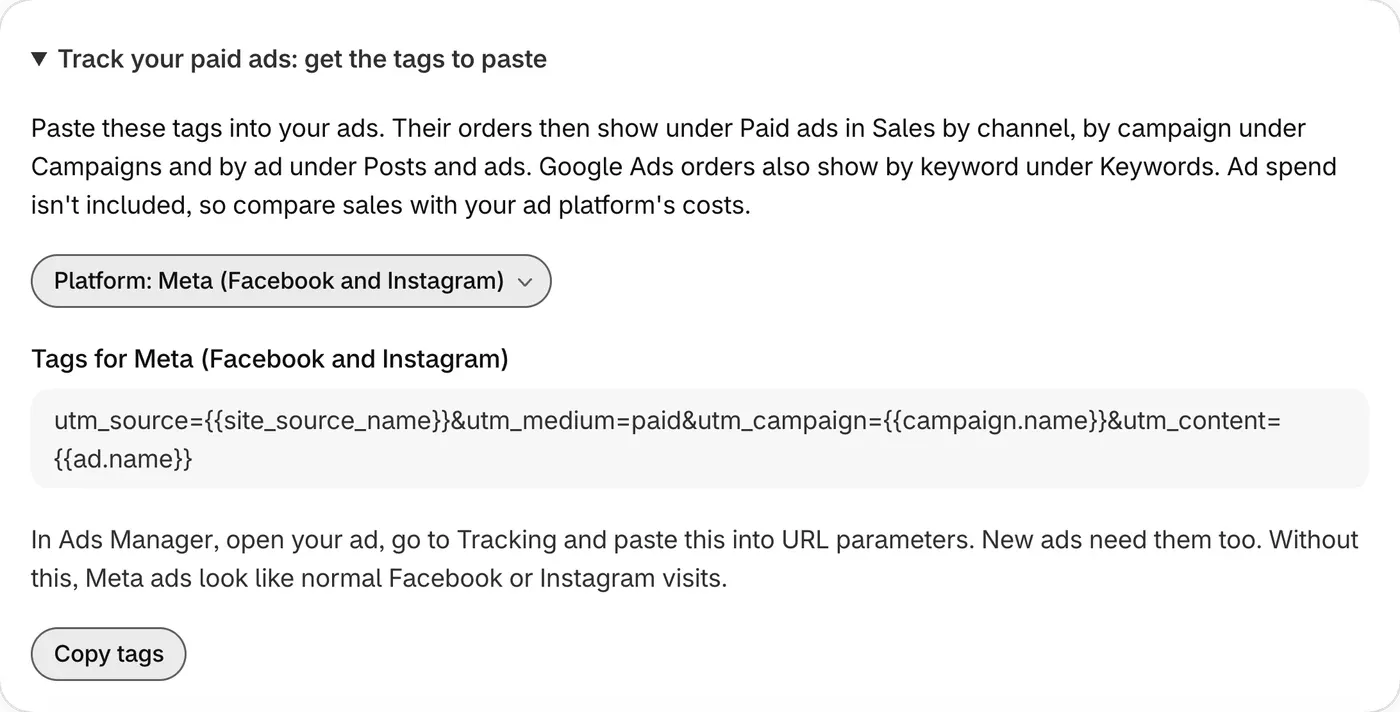
-
Click Copy tags, or copy them from this page.
-
Paste the tags in your ad platform, in the place listed below.
Where to paste them
Section titled “Where to paste them”Ad platforms change their screens from time to time, so names may look slightly different. New ads need the tags too.
Meta (Facebook and Instagram)
Section titled “Meta (Facebook and Instagram)”utm_source={{site_source_name}}&utm_medium=paid&utm_campaign={{campaign.name}}&utm_content={{ad.name}}In Ads Manager, open your ad, go to Tracking and paste this into URL parameters.
Google Ads
Section titled “Google Ads”utm_source=google-ads&utm_medium=cpc&utm_campaign={campaignid}&utm_content={creative}&utm_term={keyword}In your campaign settings, open Campaign URL options and paste this into Final URL suffix. New campaigns need the tags too. Google gives campaign and ad numbers here, not their names.
TikTok Ads
Section titled “TikTok Ads”utm_source=tiktok-ads&utm_medium=paid&utm_campaign=__CAMPAIGN_NAME__&utm_content=__CID_NAME__In TikTok Ads Manager, paste this into your ad’s URL parameters.
See the results
Section titled “See the results”Orders from tagged ads show on Analytics. Sales by channel lists them under Paid ads. Click it to filter the whole page.
The Show menu in Where sales came from breaks them down by Sources, Campaigns, Posts and ads and, for Google Ads, Keywords.
In Sources, Meta ads stay in rows such as Facebook and Instagram, mixed with unpaid visits, so click Paid ads to see them apart.
Paid ads not there? Try a longer date range, and check that your ads have the tags.
What ThanksTo doesn’t do
Section titled “What ThanksTo doesn’t do”- It doesn’t read ad spend or show ROAS (return on ad spend). Compare your sales with the costs in your ad platform.
- It doesn’t connect to your ad accounts. It can’t read, change or pause your ads.
- It can’t credit every ad order. Some orders can’t be credited, for example when a shopper declines tracking. Those orders show as Not tracked.
Your ad platform may show different numbers. See Why numbers differ from other tools.