
Create your first link
A ThanksTo link is a link to your store with tracking tags added to the end. Visits and orders from it show up under the creator and the place you shared it.
Create and save a link
Section titled “Create and save a link”-
Open Home or Creators and click Create link.
-
Under Where you’ll share it, choose a place, such as Instagram bio or Newsletter.
-
Under Creator, choose a creator. For someone new, choose New creator… and type a name, such as
jane-doe. No creators yet? Type the name in the box. This name goes in the link and can’t be changed later.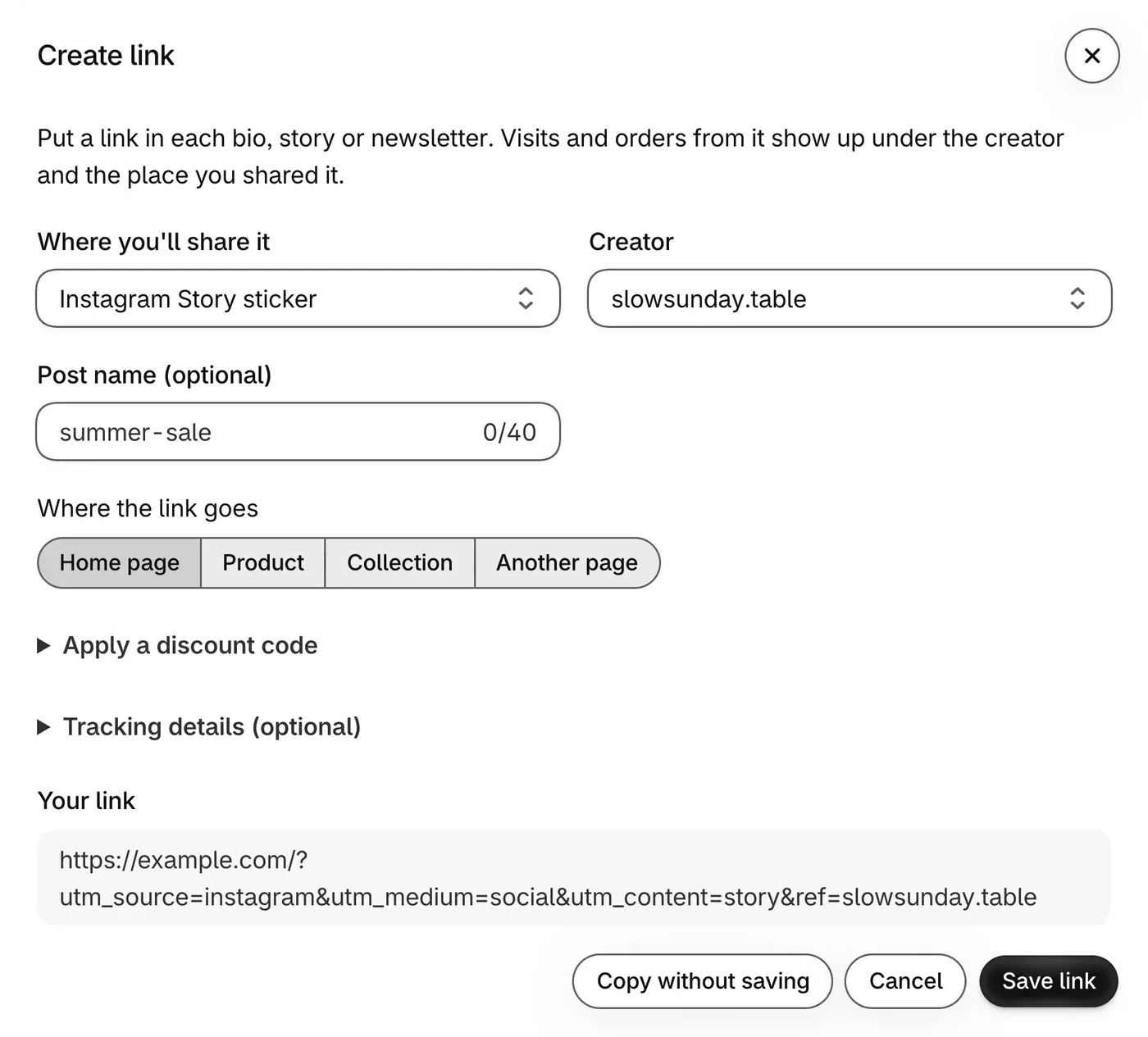
-
Add a Post name (optional) if you want to tell posts apart, such as
summer-sale. -
Under Where the link goes, choose Home page, Product, Collection or Another page.
-
To add a discount, open Apply a discount code and type a code you already made in Shopify under Discounts. When you save the link, orders that use the code are credited to that creator too.
-
Check Your link, then click Save link.
-
In the window that opens, click Copy link, or Download PNG or Download SVG to save the QR code.
Where to put your link
Section titled “Where to put your link”Use a separate link for each place, so you can see which one brought the visit.
Where people can scan but can’t click, use the QR code. For paid ads, see Track paid ads.
Stuck on a message in the form? See Fix a problem. Next, test it with one order.