
One order's page
Each order has a page that shows who to thank for it and why.
Open an order
Section titled “Open an order”-
Open Orders from the app menu.
-
Find the order, then click its number.
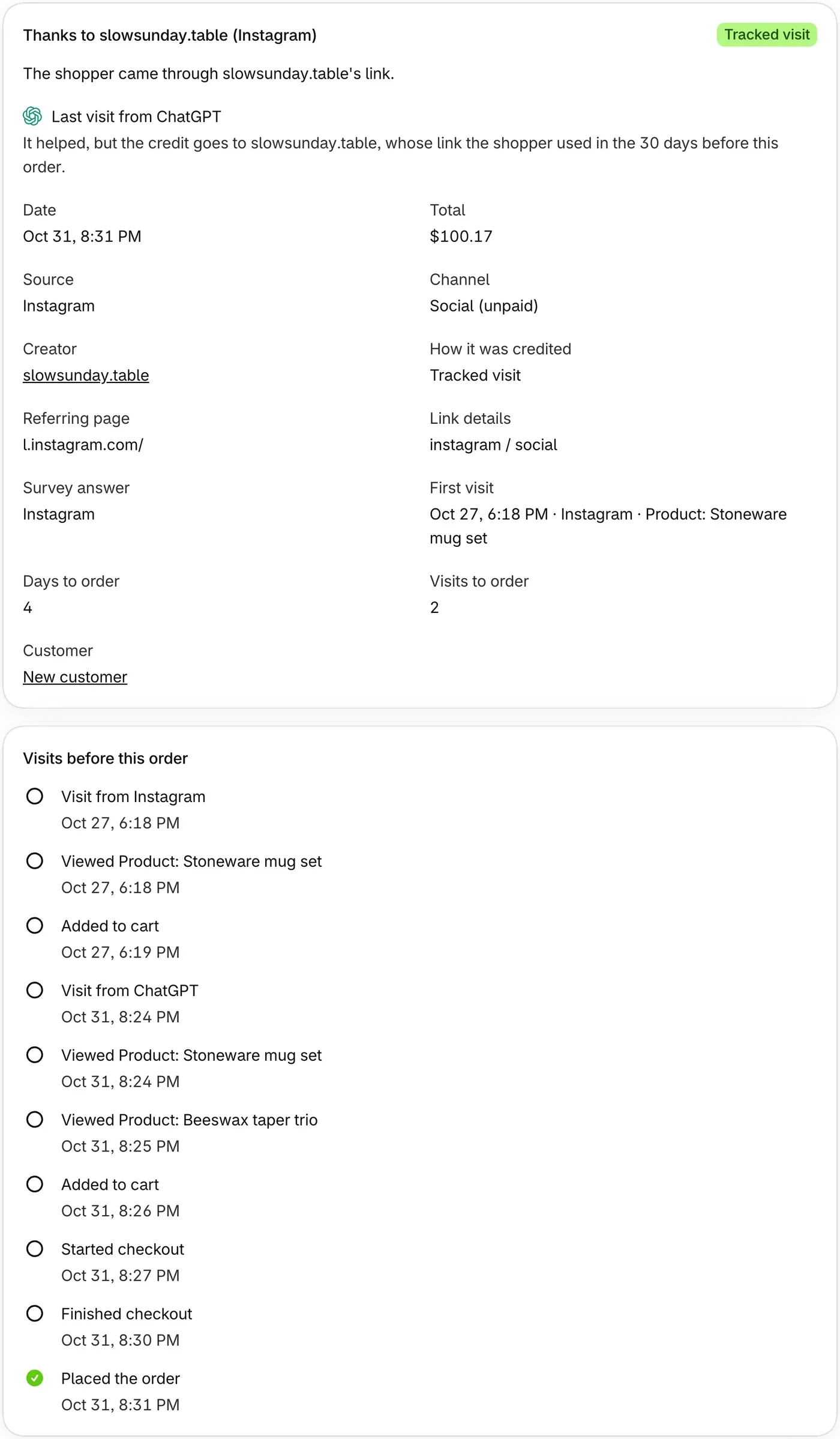
Read the Thanks to card
Section titled “Read the Thanks to card”The heading says who gets the credit. The sentence under it gives the reason, and the badge shows the status. The heading can also say:
- Direct: ThanksTo saw no link, such as someone typing your address. Nobody is credited.
- Not credited yet: the order isn’t fully paid. ThanksTo credits it once it’s paid.
- Locked on your current plan: the order is over your plan’s monthly limit. See Plans and order limits.
When an order can’t be credited, the sentence says what ThanksTo knows.
Last visit from appears when the shopper’s last visit came from somewhere other than the credit. That visit gets no part of the sale. If it came from an AI assistant, the order can show in the AI also helped line on AI assistants, outside AI sales.
On orders with the Tracked visit status, a second card lists what the shopper did before buying.
Open the order in Shopify
Section titled “Open the order in Shopify”Click View in Shopify at the top of the page to see who the customer is. ThanksTo doesn’t keep names or contact details.
If something looks wrong
Section titled “If something looks wrong”- The page says This order isn’t in ThanksTo. A new order can take a moment to show up, so click Try again. Orders from before the 60 days ThanksTo imported aren’t here.
- The credit isn’t what you expected. See How an order gets its credit.
Fix a problem has more help.