
Test it with one order
Check that ThanksTo works. You need a saved link.
Shopify test orders don’t appear in ThanksTo on a live store, so you need a real paid order to see a credit. On a development store (a practice store), a test order works.
Check your visit in Live view
Section titled “Check your visit in Live view”-
Open your link in a private window (incognito). Accept cookies if your store asks. If your store has a password, enter it, then open your link again.
-
In ThanksTo, open Analytics and click Live view.
-
Check Activity in the last 30 minutes for the page you opened. Visitors have made-up names, so go by the page and the time.
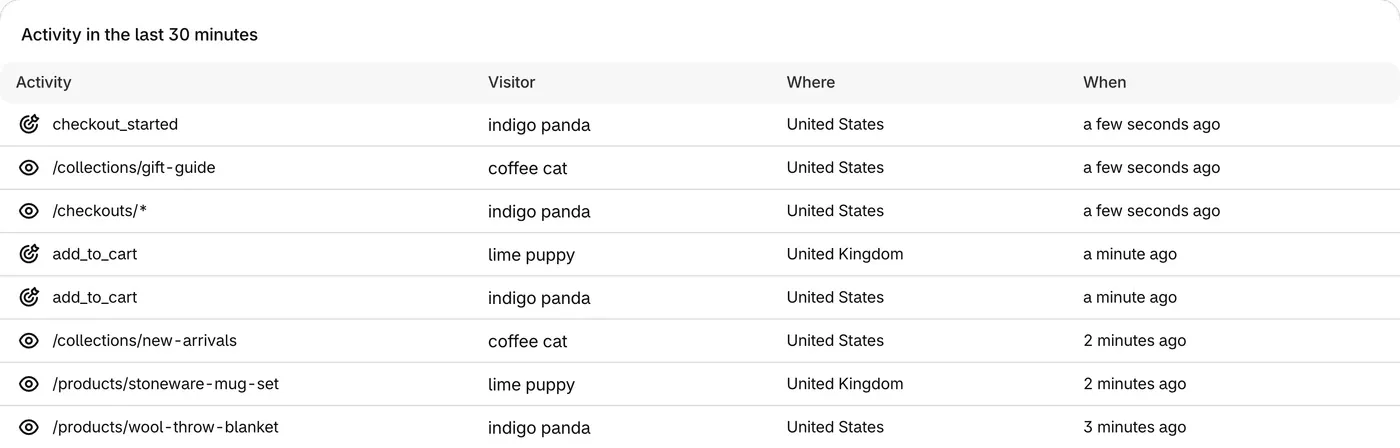
If your visit shows, tracking works, and Settings says Tracking on. On a live store, you can stop here if you don’t want to place a real order.
Place one order and see the credit
Section titled “Place one order and see the credit”-
In the same private window, add a product to the cart and finish the order.
-
In ThanksTo, open Orders. The order can take a minute to appear.
-
Thanks to should name your creator, and Status should say Tracked visit.
-
Click the order. The top of its page says who gets the credit and why.
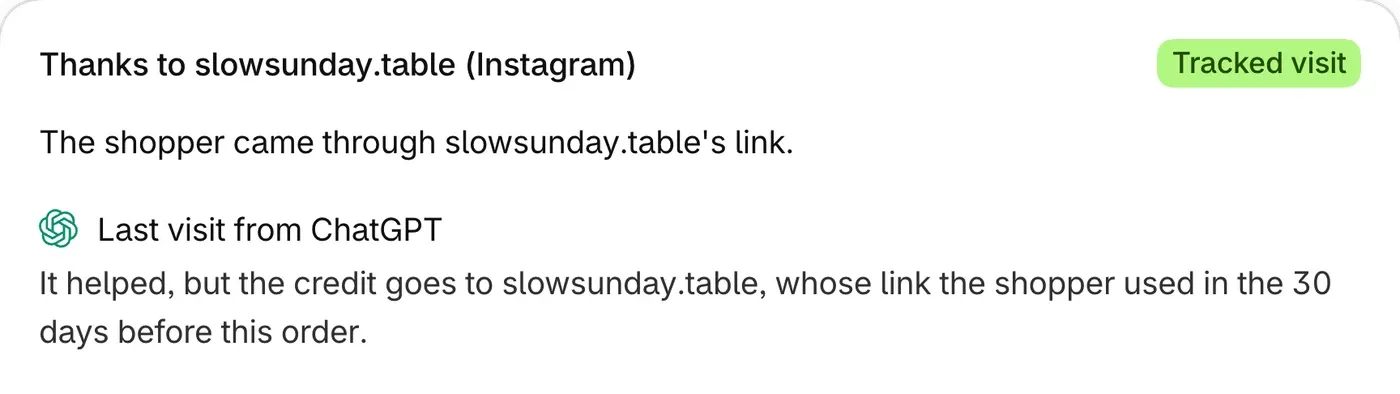
You can cancel and refund a real order in Shopify straight afterwards, but your payment provider may still charge its fees. A cancelled order doesn’t count toward your plan’s limit. An order refunded in full still does.
If something looks wrong
Section titled “If something looks wrong”- Your visit doesn’t show. See No visits in Live view in Fix a problem.
- The order isn’t listed. Wait a minute, then search by order number.
- The status is Direct. Check that you opened your saved link, not your store’s plain address.
Some orders can’t be credited, even with everything set up. See What each status means.