
Why numbers differ from other tools
A difference doesn’t mean something is broken. Each tool counts by its own rules.
Sales on Home covers online store and AI orders, after refunds. Net sales are order totals after refunds, with tax and shipping included.
Compared with Shopify
Section titled “Compared with Shopify”| What differs | Why |
|---|---|
| POS and draft orders | POS (Point of Sale) orders, draft orders and other sales channels aren’t credited. If any fall in your date range, a note under Sales on Home says how many. |
| Refunds | Home takes a refund off in the period it happens, so a day on the chart can go below zero. Orders takes each refund off its own order, so the two can show different amounts for the same dates. |
| Time zone | ThanksTo uses your store’s time zone from Shopify. A tool in another time zone can put an order near midnight on a different day. |
| Test orders | On a live store, they don’t appear and don’t count. On a development store, they do. |
| Older orders | ThanksTo imports the last 60 days of orders when you install it. A long date range such as All time can show less than Shopify. |
Compared with Google Analytics and ad platforms
Section titled “Compared with Google Analytics and ad platforms”Google Analytics runs its own tracking with its own rules, so the two won’t match line by line. On ThanksTo’s side, consent decides what’s recorded, and traffic that looks like a bot isn’t recorded.
ThanksTo doesn’t connect to your ad accounts, so ad spend isn’t included. An ad platform can count an order that ThanksTo credits somewhere else.
- If a shopper opened a creator’s link in the last 30 days and clicked an ad later, the order goes to the creator.
- Without ad tags, Meta ads look like normal Facebook or Instagram visits.
Why some orders are Not tracked
Section titled “Why some orders are Not tracked”Not tracked means nothing recorded where the shopper came from. The usual reason is declined tracking: the shopper said no to cookies on your store. To read why for one order, open it. These orders are still real sales, and they’re in Sales.
Some orders can’t be credited. ThanksTo shows them as Not tracked. These steps can help with some of them:
-
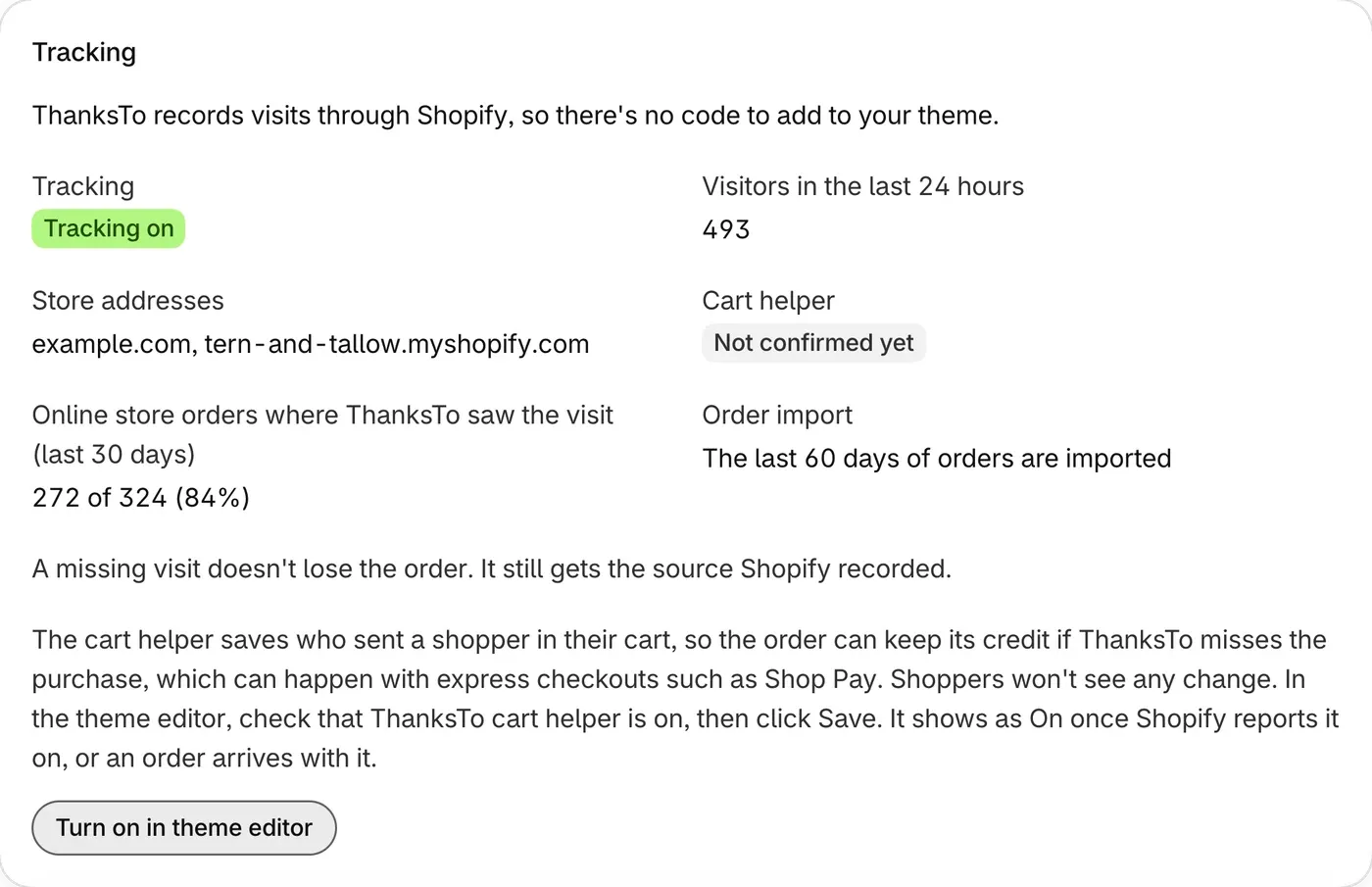
Open Settings and check that Tracking says Tracking on.
-
Turn on the cart helper, for shoppers who allow analytics.
-
Add the post-purchase survey.
Settings shows how often ThanksTo saw the visit, under Tracking.
If something looks wrong
Section titled “If something looks wrong”Orders over your plan’s limit are in Sales, but not in Credited sales. To check a difference with another tool:
-
Use the same dates in both tools, and check that they use the same time zone.
-
In Orders, click Export and compare the CSV file with the other tool’s list.
-
Open any order that doesn’t match. Its page says how it was credited.
-
If you still can’t explain the difference, contact support.