
Analytics
Analytics is the full report of your sales and visitors. Open it from the app menu.
Choose a date range
Section titled “Choose a date range”-
Click the date button at the top of the page. It says Last 30 days until you change it.
-
Choose a period.
The date range stays the same when you move to another report. All time can’t reach further back than the 60 days of orders ThanksTo imported when you installed it.
A line that starts with Compared with shows the earlier dates. Tiles show an up or down arrow with the change, or None in the previous period. All time has nothing before it, so it shows no comparison.
Filter the page
Section titled “Filter the page”A filter narrows the whole page to one thing, such as one channel or one country.
-
Click a source, channel, page, place or device in a card lower on the page.
-
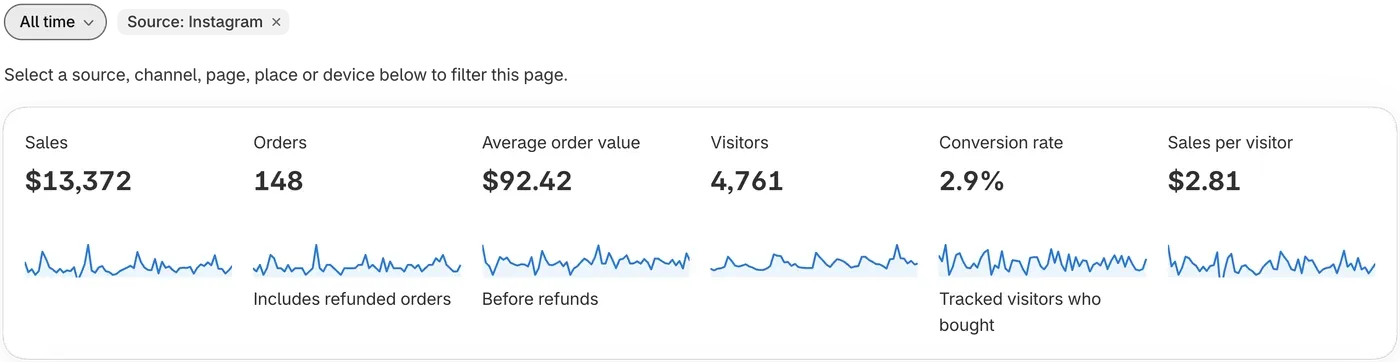
Read the page. A small label beside the date button shows the filter, such as Source: Instagram. The tiles and most cards now count what matches.
-
To remove the filter, click the X on that label.
Filters apply to Analytics only.
Read the report
Section titled “Read the report”- Sales is your online store and AI orders in the period, after refunds.
- Orders is how many orders you had, including refunded orders.
- Average order value is the average amount of an order, before refunds.
- Visitors is how many people ThanksTo tracked on your store. Ad blockers and declined cookie consent hide some visits. Those shoppers aren’t in Visitors, but their orders still count in Sales.
- Conversion rate is the share of tracked visitors who bought.
- Sales per visitor is your sales divided by visitors.
- Sales by channel shows your sales by group of similar sources. See channel names.
- Store funnel shows how many visitors reach each step on the way to buying. Look for the step where the most visitors stop.
- Track your paid ads gives you tags to paste into your ads. See Track paid ads.
Where sales came from, Pages, Locations and Devices are explained in Sources, pages, keywords and locations.
If something looks wrong
Section titled “If something looks wrong”- A card says No visits match these filters. Remove a filter or try a longer date range.
- Sales doesn’t match Shopify. See Why numbers differ from other tools.
Fix a problem has more help.