
Weekly email
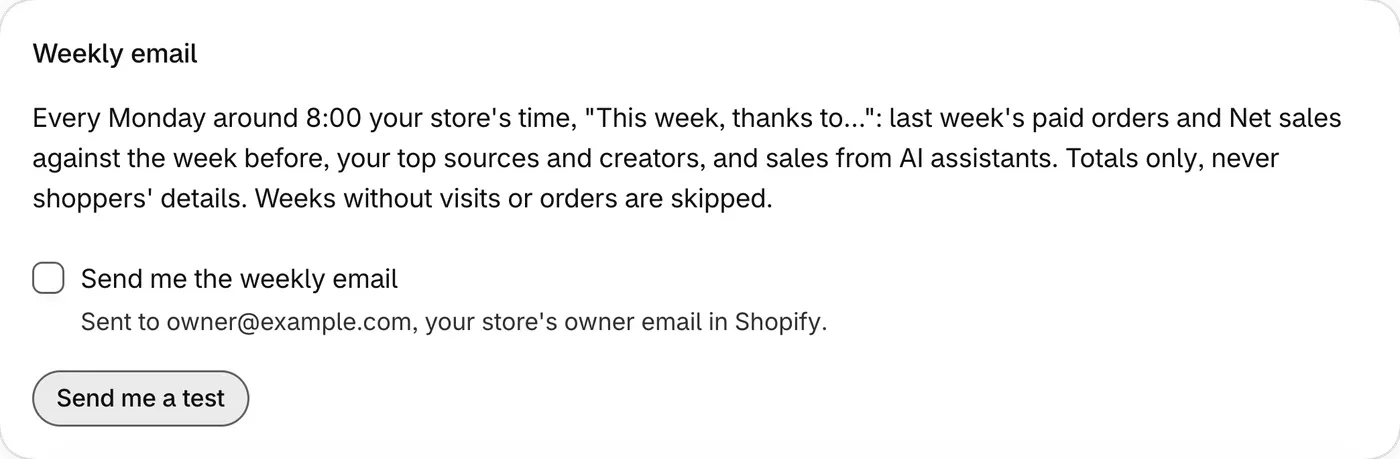
The email is called “This week, thanks to…”. If you turn it on, it arrives every Monday around 8:00 your store’s time, with last week against the week before.
What the email has
Section titled “What the email has”- Your orders and net sales, and how they changed.
- Top sources and Top creators, up to three each.
- AI assistants, for orders credited to an AI. This can differ from AI sales on the AI assistants page.
- A note if some orders were over your plan’s monthly limit. These are counted in the totals, but the email doesn’t say who to thank for them.
The email has totals, and never shoppers’ details.
Turn it on or off
Section titled “Turn it on or off”The email stays off until you turn it on.
-
Open Settings and go to the Weekly email card.
-
Tick Send me the weekly email. Untick it to stop the email.
-
Check the address under the checkbox. The email goes to your store’s owner email in Shopify.
You can also click Unsubscribe at the bottom of the email, then Unsubscribe on the page that opens. You don’t need to log in.
Send me a test
Section titled “Send me a test”Click Send me a test in the Weekly email card, even with the weekly email off. The test shows last week’s numbers, and you can send one test a minute.
If no email arrived
Section titled “If no email arrived”Weeks without visits or orders are skipped. Check that Send me the weekly email is ticked, and read the Next email date in the card.
More help: Fix a problem.