
Link discount codes to creators
Link a discount code to a creator, so orders that use it are credited to them, even when the shopper never opened their link.
You make codes in Shopify under Discounts. ThanksTo doesn’t make or change them.
Link a code
Section titled “Link a code”-
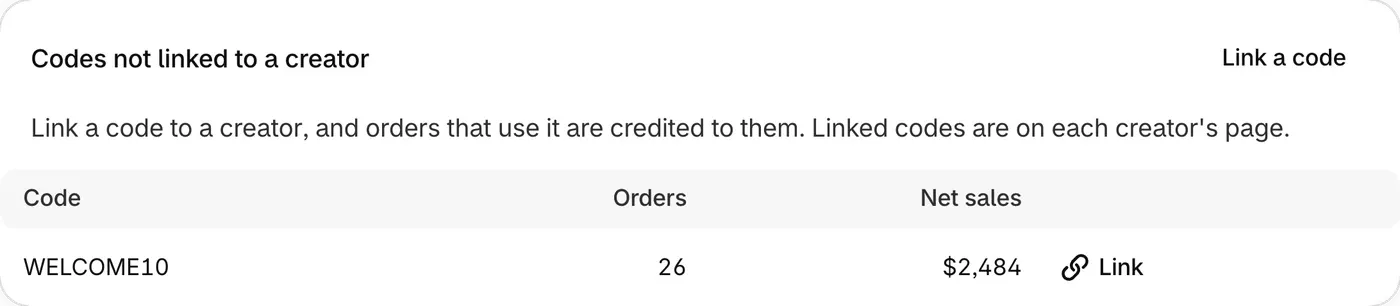
Open Creators and go to Codes not linked to a creator. It lists codes orders used in the page’s date range.
-
Click Link next to the code. For a code that isn’t listed, click Link a code and type it.
-
In Creator, choose or type a creator, then click Link code.
A new code shows No order has used this code yet. If yours isn’t new, check its spelling in Shopify.
How a code gets credit
Section titled “How a code gets credit”- Past orders that used a linked code are credited too.
- If the shopper came through another creator’s link, that creator gets the credit.
- Each code credits one creator.
Some orders can’t be credited, even with a linked code: POS orders (sales made in person), draft orders, orders from other sales channels and cancelled orders. An unpaid order is credited once it’s paid.
Move or unlink a code
Section titled “Move or unlink a code”- To move it: on the new creator’s page, under Linked discount codes, click Link a code, enter the code, click Link code, then Move to and the new name. Past and new orders that use it are then credited to the new creator.
- To unlink it: on the creator’s page, click Unlink under Linked discount codes, then Unlink code. Past and new orders that used it are no longer credited to the creator, unless the shopper came through their link.